
Gratora uses a capability-based permission system to control access to its features. You can assign 13 capabilities across your WordPress user roles to determine who can view, edit, and manage your fundraising data.
Capabilities
Gratora defines 13 capabilities organized into four groups.
Donors
- gratora_view_donors: view donor profiles and donation history
- gratora_edit_donors: edit donor details
- gratora_export_donors: export the donor list to CSV
- gratora_redact_donors: permanently redact donor personal data
Donations
- gratora_view_donations: view donation records
- gratora_edit_donations: edit donations (notes)
- gratora_refund_donations: change what is charged, meaning refund a donation, mark it paid, record one by hand, or change a recurring plan
- gratora_resend_receipt: resend donation receipt emails
- gratora_delete_donations: permanently delete donations from the trash
Reports
- gratora_view_reports: view the dashboard and fundraising reports
Setup
- gratora_manage_campaigns: create, edit, and delete campaigns
- gratora_manage_forms: create, edit, and delete donation forms
- gratora_manage_settings: access and modify Gratora settings
Default role mappings
Gratora assigns capabilities to built-in WordPress roles automatically:
- Administrator: receives all 13 capabilities
Other roles receive no Gratora capabilities by default. You can customize this in the settings.
Customize role permissions
- Go to Fundraising > Settings > Roles. The tab is only visible to users who can manage WordPress options.
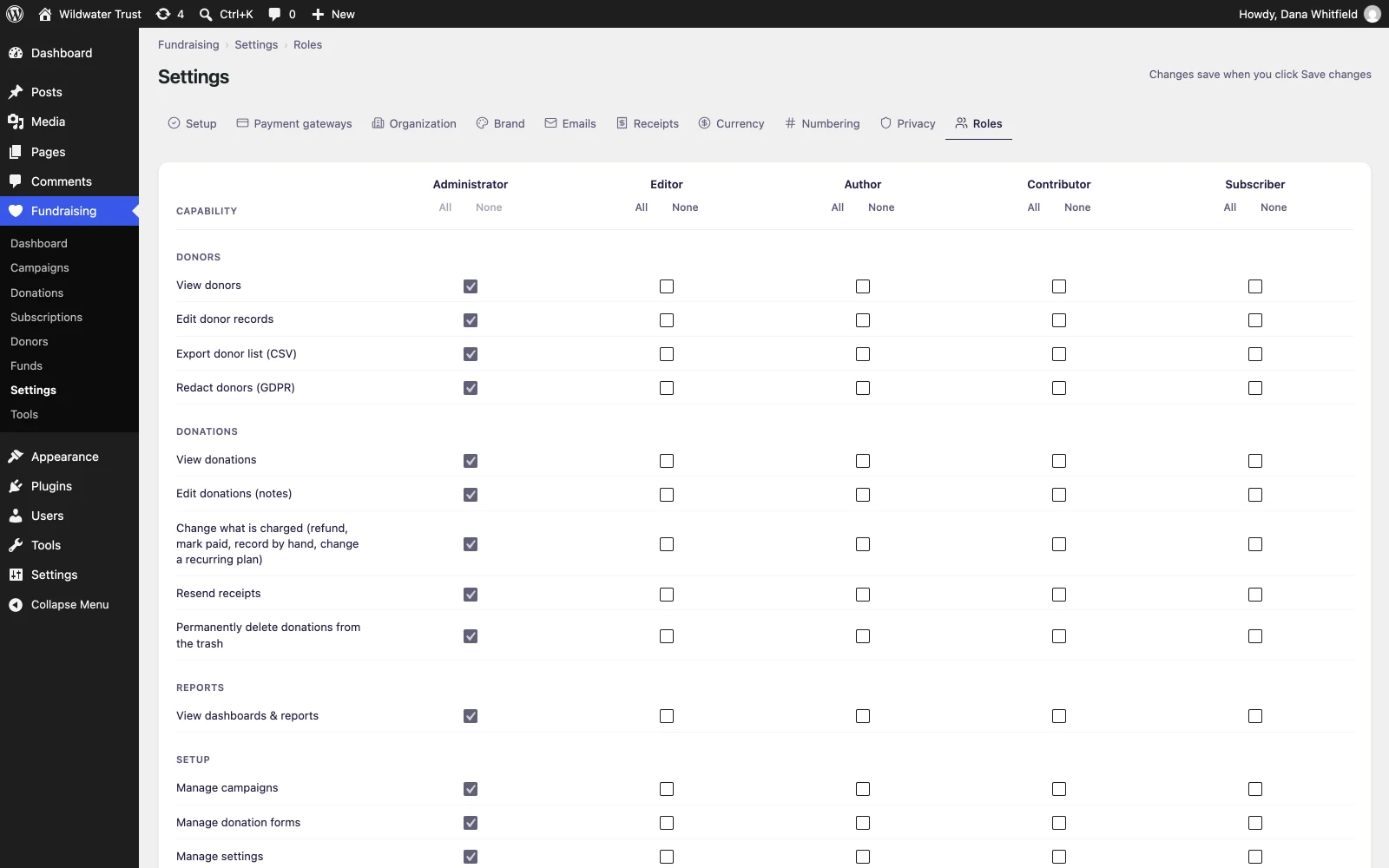
- You will see a capability matrix with your WordPress roles as columns and Gratora capabilities as rows.
- Check or uncheck boxes to grant or revoke capabilities for each role. Use All or None above a role to set its whole column at once.
- Click Save changes to apply your edits.
The Administrator column is locked on. An administrator always holds every Gratora capability.
Menu visibility
Gratora controls which menu items each user sees based on virtual gratora_access_* capabilities. If a user lacks the required capability, the corresponding menu item is hidden entirely.
Users only see the Gratora submenu pages they have permission to access. A user with only gratora_view_donations sees the Donations and Subscriptions pages but not Campaigns, Funds, Donors, or Settings. The form editor has no menu entry of its own: it opens from a campaign’s Forms tab.
The top-level Fundraising menu is the exception: it appears for anyone holding at least one Gratora capability, whichever one it is. The Tools page sits behind gratora_manage_settings, the same capability as Settings, and each control on it is checked separately.