
An assistant that knows your fundraising
Ask about your data, create and manage campaigns, and build donation forms in plain language, right inside wp-admin. Anything that would change your data waits for your approval.
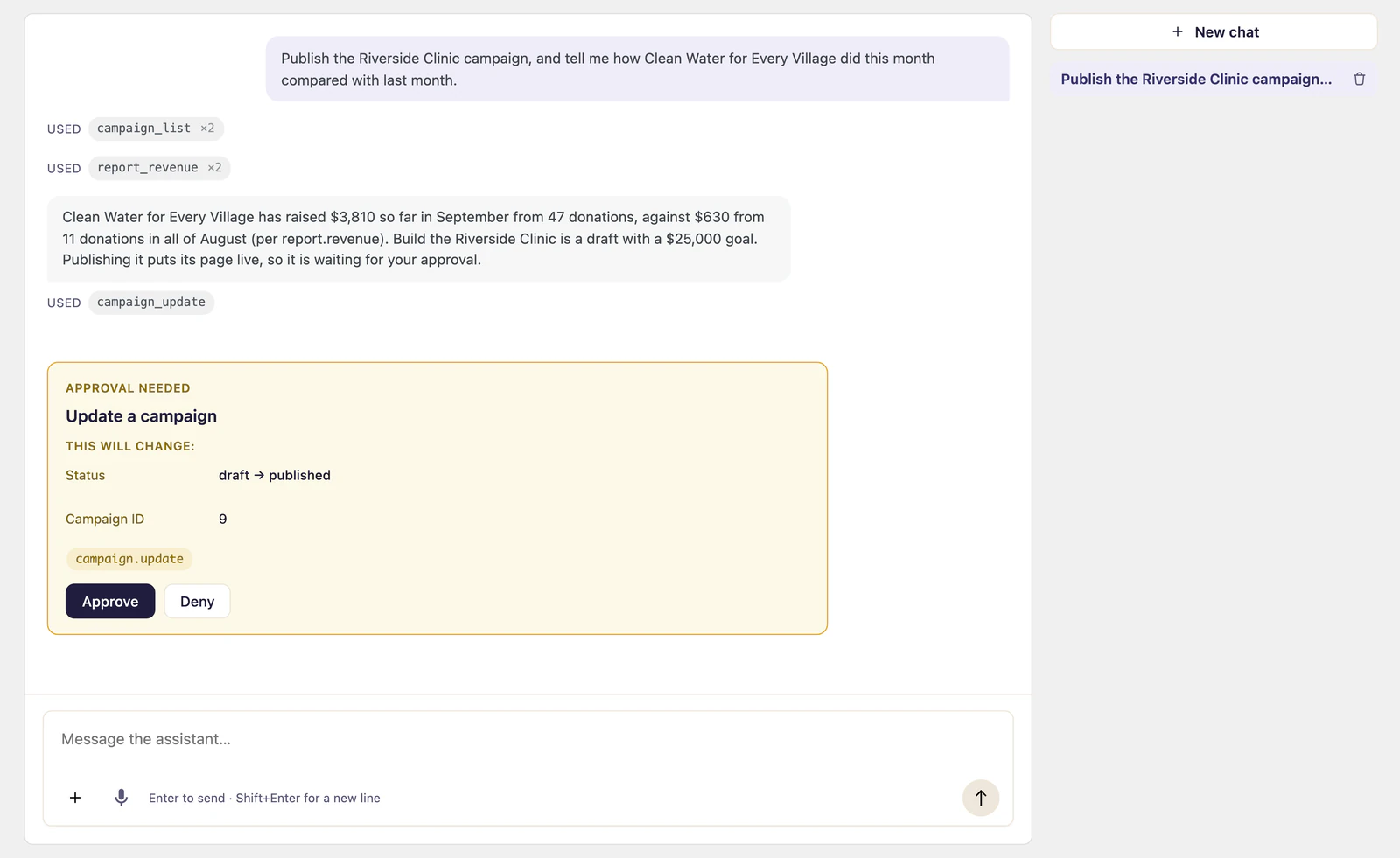
What it does
-
Ask about your data
The assistant reads your fundraising records and answers in plain language: totals, trends, donors, campaigns.
-
It acts, you approve
It can create and manage campaigns by calling Gratora commands, and anything that would change your data pauses for a human before it runs.
-
Forms and briefings
A form-builder panel turns a change described in plain language into block operations on your donation form, and the chat opens with a briefing of what needs your attention.
-
Your provider, your key
Anthropic, OpenAI or Google, on an API key you hold. The model list is read back from whichever you choose.
-
What the model is shown
Answering a question about a donor means sending that donor's record, email address included, to the provider you chose. Nothing goes unless you ask, and any tool that reads donor data can be switched off.
-
Decide what it may touch
Every Gratora command except emailing a donor is a tool the assistant can call, and a tools screen switches off any you would rather it left alone.
From API key to first answer
-
1
Add a provider and a key
Pick Anthropic, OpenAI or Google, paste your API key, and choose a model from the list read back from that provider.
-
2
Ask it something
Totals, trends, a donor, a campaign. It reads your fundraising records and answers in plain language.
-
3
Approve what it wants to change
Anything that would change data stops in a queue showing the exact command and the values it would use, and runs only when you say so.