
Take donations the way your donors pay
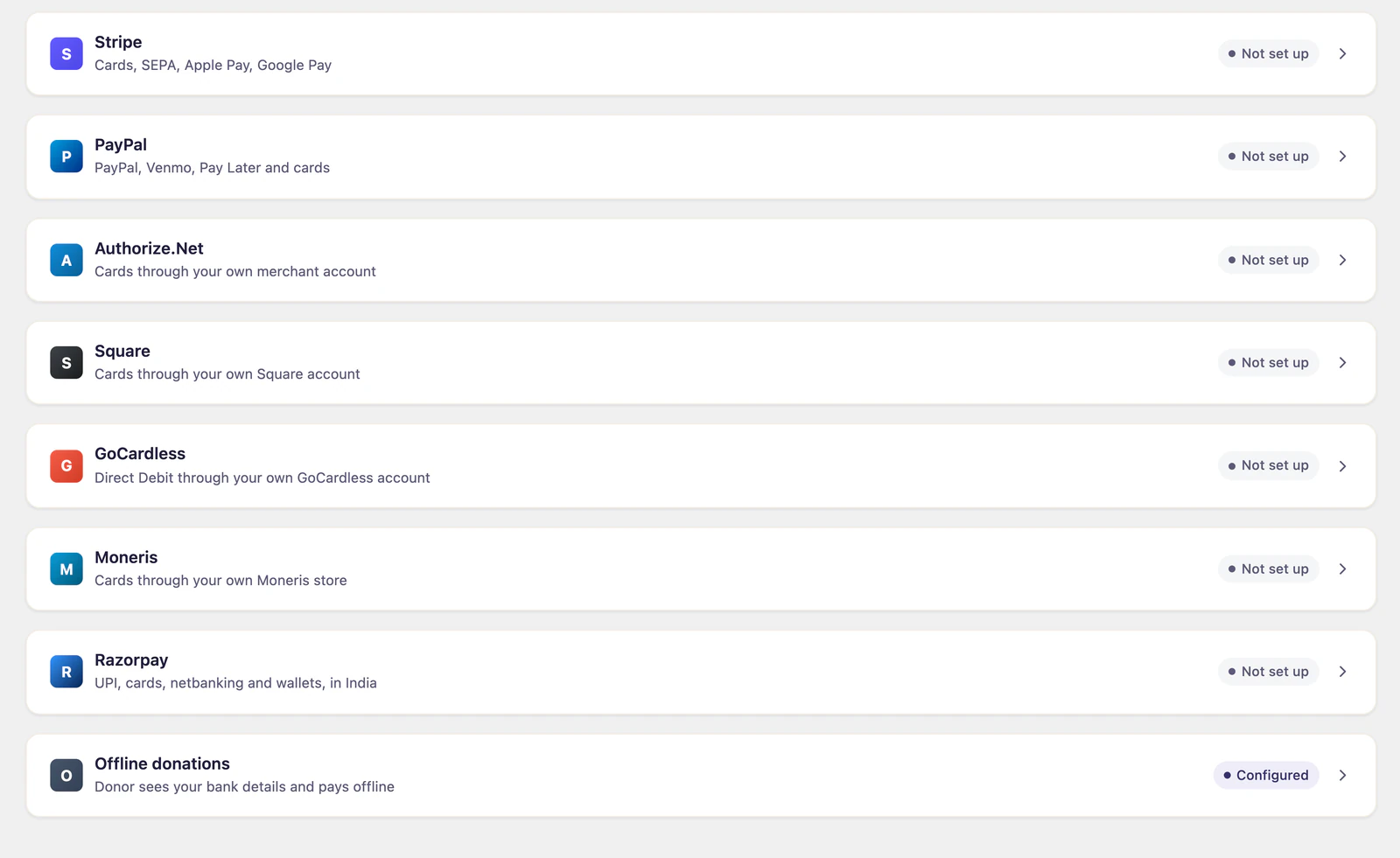
Authorize.Net, Square, GoCardless, Moneris and Razorpay, on the same rails as the Stripe and PayPal support in Gratora core.
What it does
-
Five processors, one add-on
One of these is probably the processor your bank already gave you. Nobody needs all five, so they are one add-on rather than five purchases.
-
Recurring where it exists
Recurring giving runs on Authorize.Net, Square, GoCardless and Razorpay. Moneris takes one-time donations.
-
Same rails as core
Donations land in the same records, receipts and reports as every other gateway. No second dashboard to reconcile.
-
The way each one takes money
Cards on Authorize.Net, Square and Moneris. Direct Debit on GoCardless. Razorpay opens its own checkout, so donors pay by UPI, card, netbanking or wallet.
-
Your merchant account, your keys
The keys are yours and are stored encrypted, with test and live kept apart so a sandbox key does not settle real money.
From keys to first donation
-
1
Add your keys
Each processor gets its own panel on the Payment gateways tab, its own keys, and separate test and live credentials.
-
2
It appears on the form
The gateway shows up beside Stripe and PayPal wherever a donor chooses how to pay.
-
3
Nothing else changes
Refunds, receipts and recurring plans behave the way they already do, from the same screens.