
Know which ads raise money
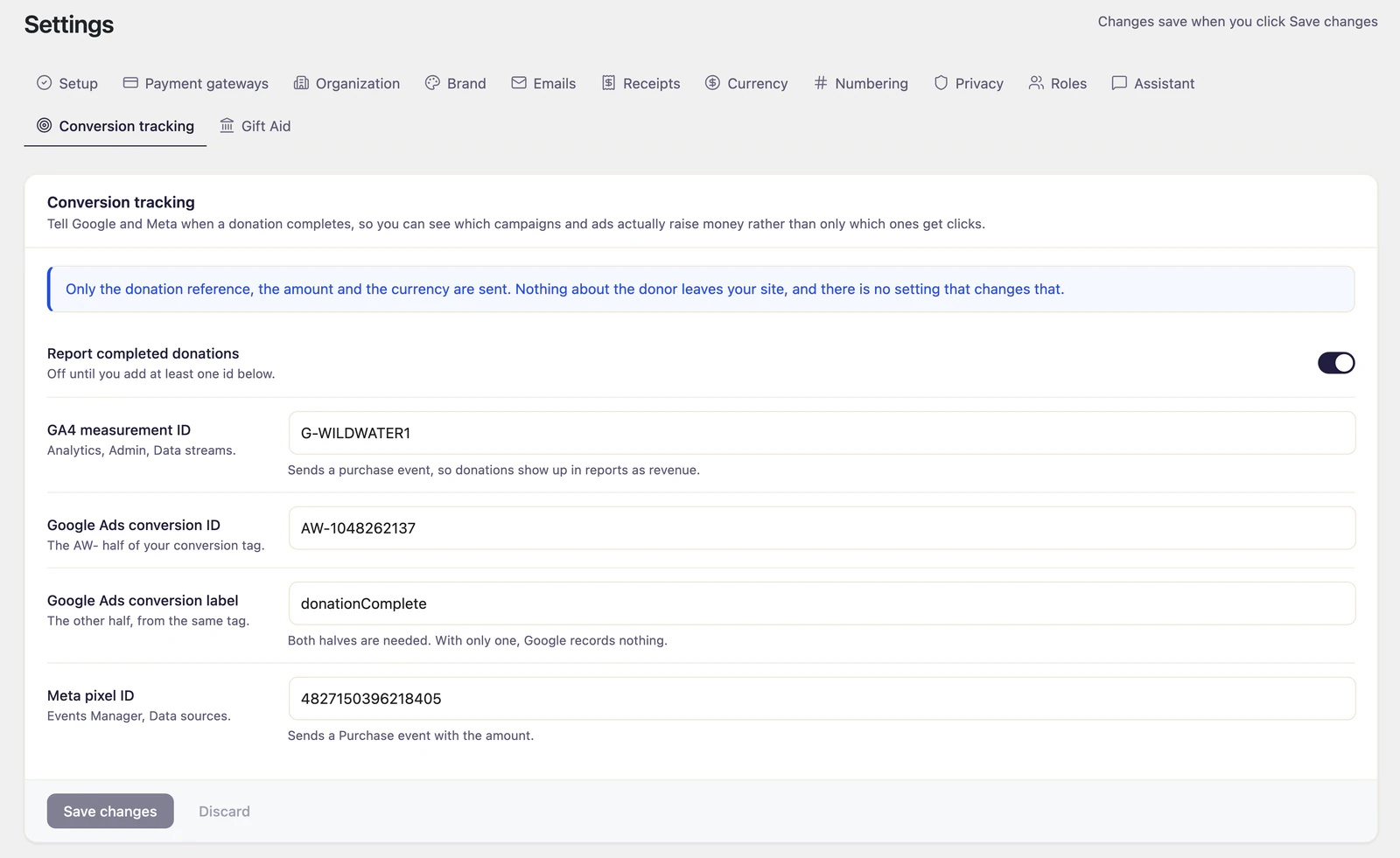
Donations completed on your forms are reported to GA4, Google Ads and Meta, which lets you judge the campaigns you pay for on money raised rather than on clicks.
What it does
-
Completed donations only
A conversion fires when a donation completes, not when someone looks at a form. Donations still processing when the donor finishes, such as Stripe and PayPal bank debits, report by default. Switch that off and they are not reported. Reporting happens in the donor's browser, so recurring renewals are not reported.
-
Value and currency attached
Each conversion carries the donation amount and its currency, which is what the ad platforms need to bid on revenue.
-
Counted once, not twice
A donation reports once even if the thank-you page is reloaded, because the browser remembers what it has already sent.
-
It uses the tags you already have
By default it loads nothing and reports through the gtag or Meta pixel your site already runs, so your existing consent banner stays in charge. It can load them for you instead, but then they sit outside that banner and you will want to wire them in yourself.
From tracking ID to reported revenue
-
1
Paste your IDs
A GA4 measurement ID, a Google Ads conversion and label, a Meta pixel, or any combination of the three.
-
2
A donation completes
The amount is read back from your site once the donation completes, rather than taken from the page.
-
3
Revenue, not clicks
What reaches the platform is an amount and a currency, not just a count.