
Run ticketed fundraising events
Events, ticket types, orders and QR tickets, with door check-in that works on the phone in your pocket. Ticket money is reported beside your fundraising, and a donation added to an order counts toward the campaign in its own right.
What it does
-
Ticket types and caps
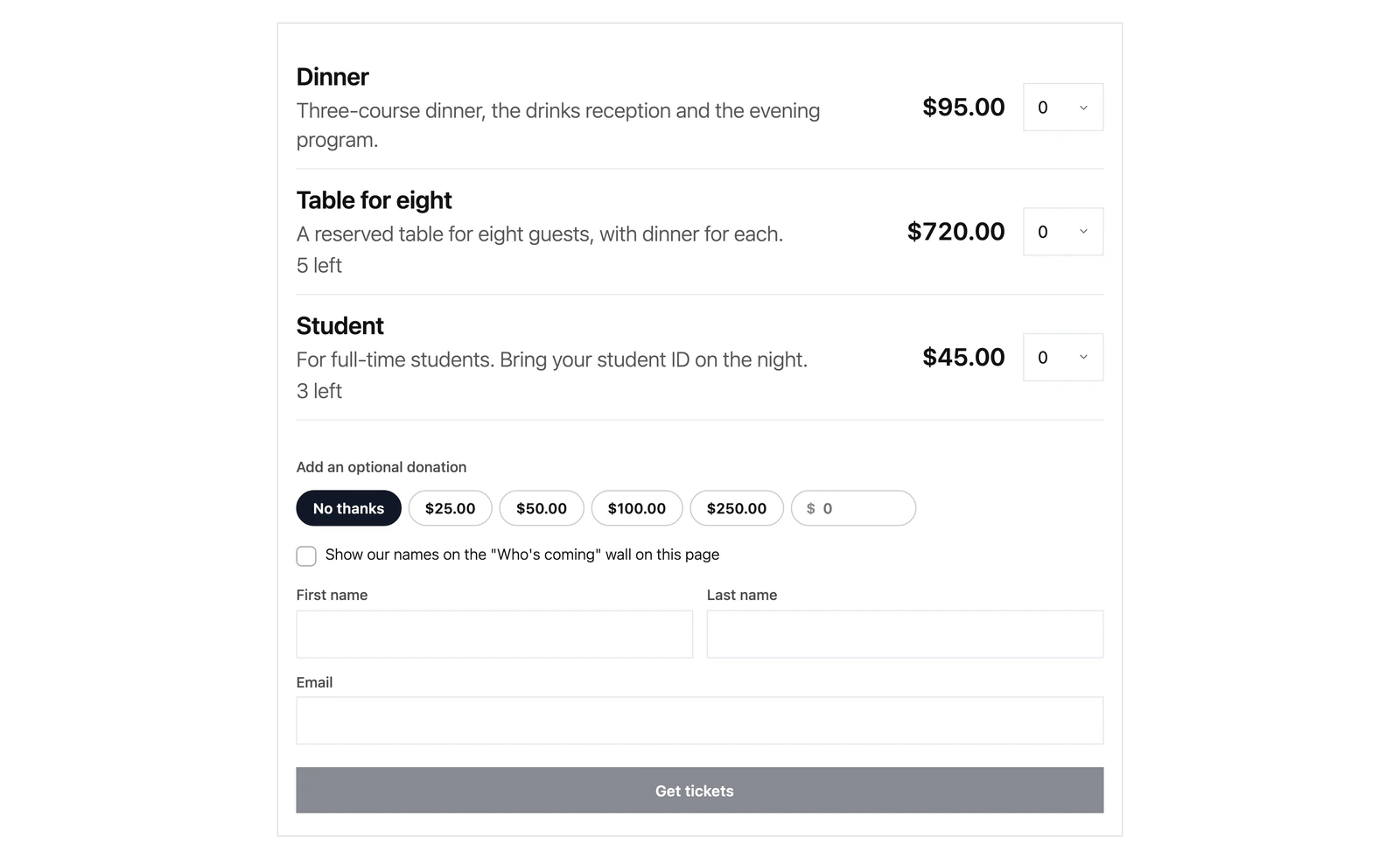
Price each type, cap its quantity, and choose what to collect per attendee: nothing, a name, or a name and email.
-
QR tickets by email
Every ticket is a PDF with its own QR code, emailed automatically when the order completes.
-
Point a phone at it
Camera scanning in the browser, on iPhone and Android alike, with a code box for hardware scanners. A ticket can only be checked in once.
-
Tickets held while the buyer pays
Chosen tickets are held for twenty minutes. Backing out of payment releases them at once, and a background sweep releases the rest.
-
A donation on top of the ticket
Buyers can add a donation to their order. It is recorded as a donation in its own right, so a campaign total, a receipt and a tax statement all see it.
-
Every email an order needs
Order confirmation, the tickets themselves, awaiting payment, an event reminder, cancellations and a sold-out notice, each one editable.
From event to doors open
-
1
Create the event
Set the date and venue, add ticket types, and link it to a campaign so every order is reported against it.
-
2
Sell on your site
The event page takes orders through your own payment gateways, and tickets go out on their own.
-
3
Scan at the door
Open check-in on any phone, point it at the QR, and follow a live count of who has arrived.