
The Conversion Tracking add-on tells Google Analytics 4, Google Ads and Meta when a donation completes, with its amount and currency. You can then see which campaigns and ads raise money, not only which ones get clicks. It is part of every plan.
What it sends
- GA4: a purchase event, so donations show up in your reports as revenue.
- Google Ads: a conversion with the donation’s value.
- Meta: a Purchase event with the amount.
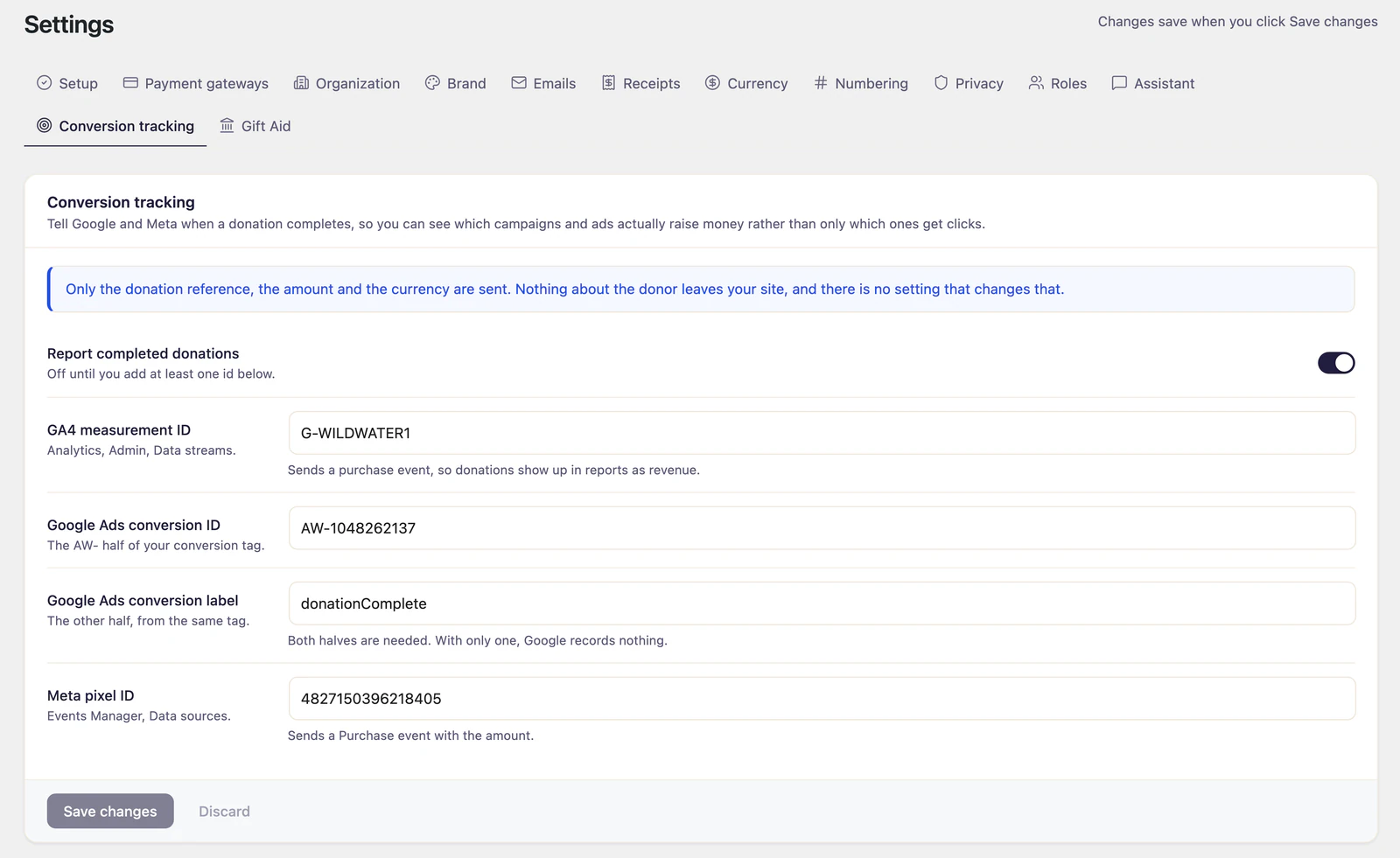
Only the donation reference, the amount and the currency are sent. Nothing about the donor leaves your site, and no setting changes that.
A conversion fires when a donation completes, not when someone opens a form. The amount is read back from your site once the donation completes, rather than taken from the page, and each donation is reported once even if the donor reloads the thank-you page.
Where the settings live
Go to Fundraising > Settings > Conversion tracking.
Set it up
- Go to Fundraising > Settings > Conversion tracking.
- Fill in the IDs for the platforms you use, in any combination. The table below says where each one comes from.
- Turn on Report completed donations. It stays off until at least one ID is filled in.
- Click Save changes.
| Field | Where to find it |
|---|---|
| GA4 measurement ID | Google Analytics, under Admin, Data streams |
| Google Ads conversion ID | Your Google Ads conversion tag: the part that starts with AW- |
| Google Ads conversion label | The other half of the same tag. Google Ads needs both, and records nothing with only one. |
| Meta pixel ID | Meta Events Manager, under Data sources |
Loading the tags
By default the add-on loads nothing itself. It reports through the Google tag or the Meta pixel your site already runs, for example from a tag manager, an analytics plugin or your theme, so the consent banner you use for them stays in charge.
If nothing on your site loads them yet, turn on Load the Google tag or Load the Meta pixel. Only do this when nothing else loads them: two copies of a tag count every visit twice across your whole site. Tags the add-on loads sit outside your consent banner, so connect them to it yourself where the law asks for consent.
Bank debits
Some donations are still processing when the donor finishes, such as bank debits through Stripe and PayPal. They are authorized straight away but take days to clear, long after the donor has closed the page. By default they are reported when the donor finishes. Switch that off in the Bank debits section to report only money that has settled, at the cost of most bank debits never being reported at all.
Good to know
- Reporting happens in the donor’s browser, on the thank-you step. Recurring renewals, which happen without the donor on your site, are not reported.
- Offline donations are not reported either: they are recorded before the money arrives, and may never be paid.
- Donations made in test mode are reported too. That makes a test donation a good way to check the setup, but it also shows up in your reports. See Test mode and sandbox.