
The Gift Aid add-on is for UK charities. It collects Gift Aid declarations on your donation forms, works out which donations you can claim on, and builds the claim schedule you upload to HMRC. It is part of every plan.
Gift Aid lets a UK charity reclaim 25p from HMRC for every £1 given by a UK taxpayer who has made a declaration.
Where the settings live
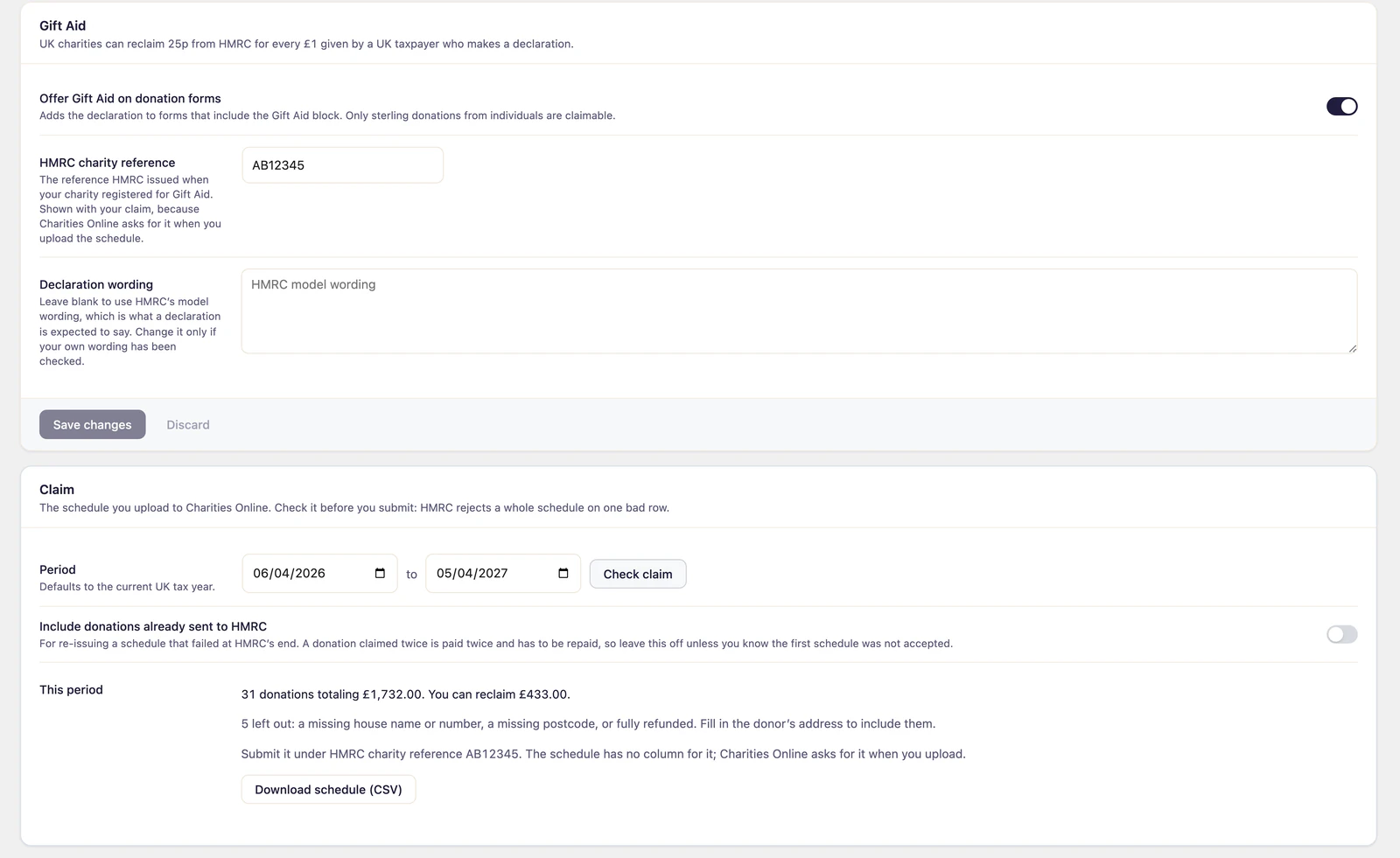
Go to Fundraising > Settings > Gift Aid. The tab holds the switch that turns Gift Aid on, your HMRC details, the declaration wording, and the claim.
Set it up
- Go to Fundraising > Settings > Gift Aid.
- Turn on Offer Gift Aid on donation forms.
- Enter your HMRC charity reference, the one HMRC issued when your charity registered for Gift Aid. Charities Online asks for it when you upload a claim.
- Leave Declaration wording blank to use HMRC’s model wording, which is what a declaration is expected to say. Change it only if your own wording has been checked.
- Click Save changes.
- Add the Gift Aid block to your donation forms. Open a form in the form builder, open the block inserter and add Gift Aid from the Extras category, then save the form.
While Gift Aid is switched off, the block shows nothing at all, so a form never offers something you are not set up to claim.
Add an Address field to the same forms. HMRC needs the donor’s house name or number and postcode, and a donation without them is held back from the claim.
Which donations can be claimed
A donation counts when all of these are true:
- Gift Aid was switched on when it was made.
- It is in pounds sterling.
- The donor is an individual, not an organization, and has a declaration in place.
- It is a real donation: test donations, tickets and fully refunded donations are left out.
Make a claim
- Go to Fundraising > Settings > Gift Aid and find Claim.
- Set the Period. It defaults to the current UK tax year.
- Click Check claim. You see how many donations are included, their total and how much you can reclaim, and how many were left out and why.
- Click Download schedule (CSV). The columns follow HMRC’s Gift Aid schedule.
- Upload the file to HMRC through Charities Online, with your HMRC charity reference.
HMRC takes up to 1,000 donations in one schedule. If there are more, the rest stay claimable: download again once this claim is submitted. Donations already sent to HMRC are not included a second time unless you turn on Include donations already sent to HMRC. Only do that to reissue a schedule HMRC did not accept, because a donation claimed twice is paid twice and has to be paid back.
When a donor changes their mind
- Donors can stop Gift Aid on their future donations from their donor portal.
- You can withdraw a donor’s declaration from their record under Fundraising > Donors, in the Gift Aid card.
Withdrawing affects only what the donor gives from then on. Donations already sent to HMRC stay claimed.